
Guide / Screenshot guide
How to withdraw from TAG Markets to a crypto wallet
Open Tag Wallet, enter an available amount under Withdrawals and submit the request. Open WITHDRAW on that request, choose your saved crypto wallet and payout method, then review and confirm.
Updated 4 November 2026 · Screenshots from our interactive demo, with fictional account data. Use the options and conditions shown in your own account.
Before you start: Have funds in TAG Wallet and a saved receiving crypto wallet.
Step 01
Request an amount
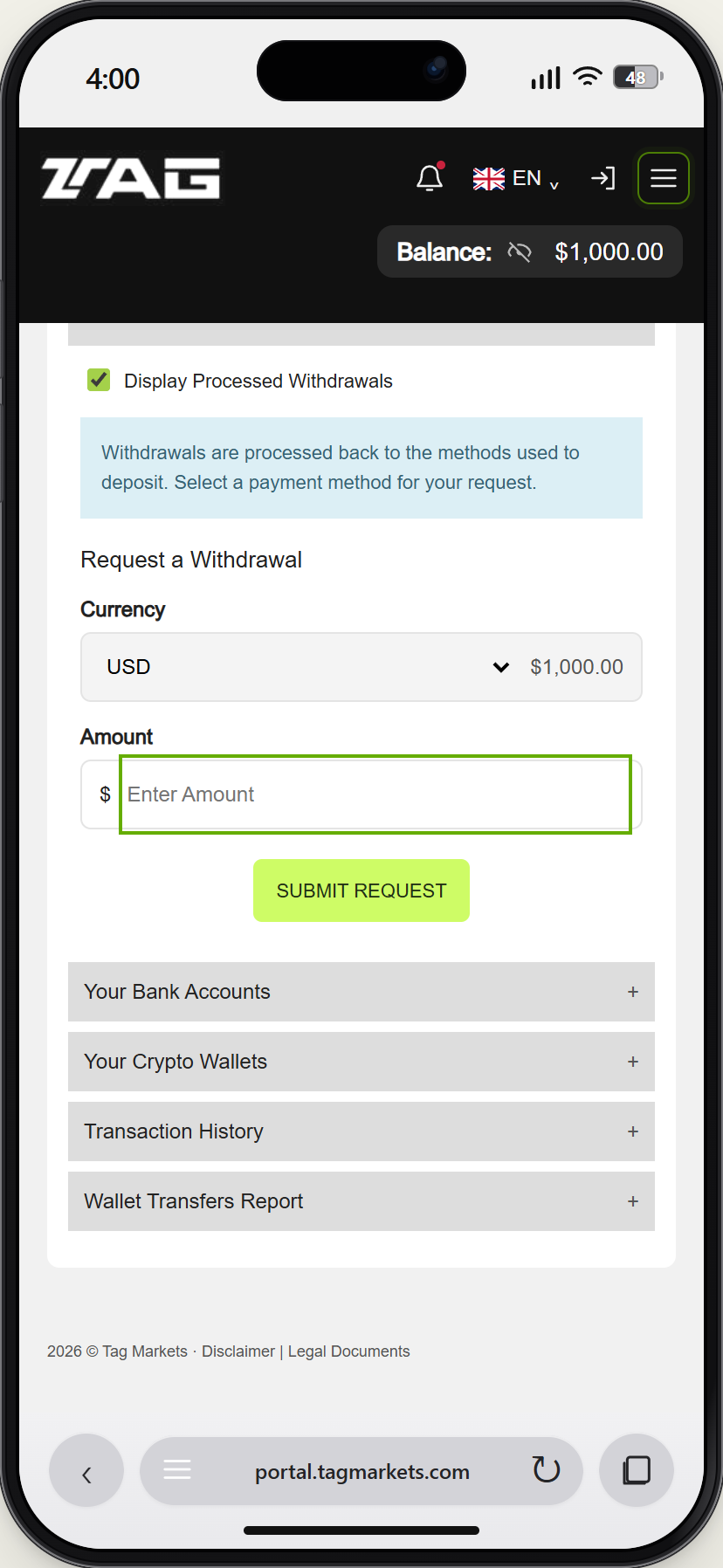
Open the TAG Markets menu → Tag Wallet. In Banking Zone, find Withdrawals and enter an amount within your available wallet balance. Select Submit Request and acknowledge the message.
Demo example · Enlarge screenshot Step 02
Open the withdrawal request
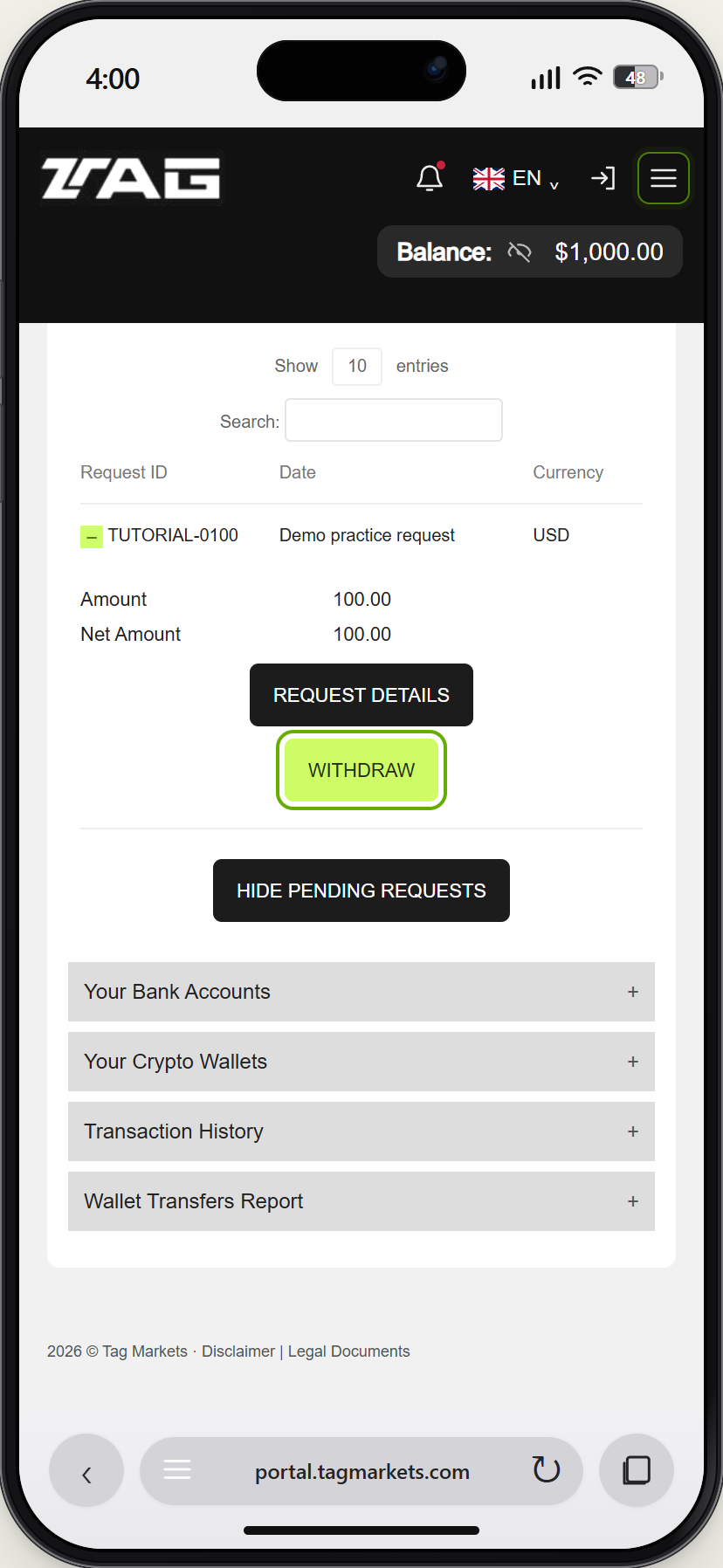
Find your pending request and select WITHDRAW to choose its destination. If your money is still in Sonic, move it to TAG Wallet first.
Demo example · Enlarge screenshot Step 03
Choose your receiving wallet
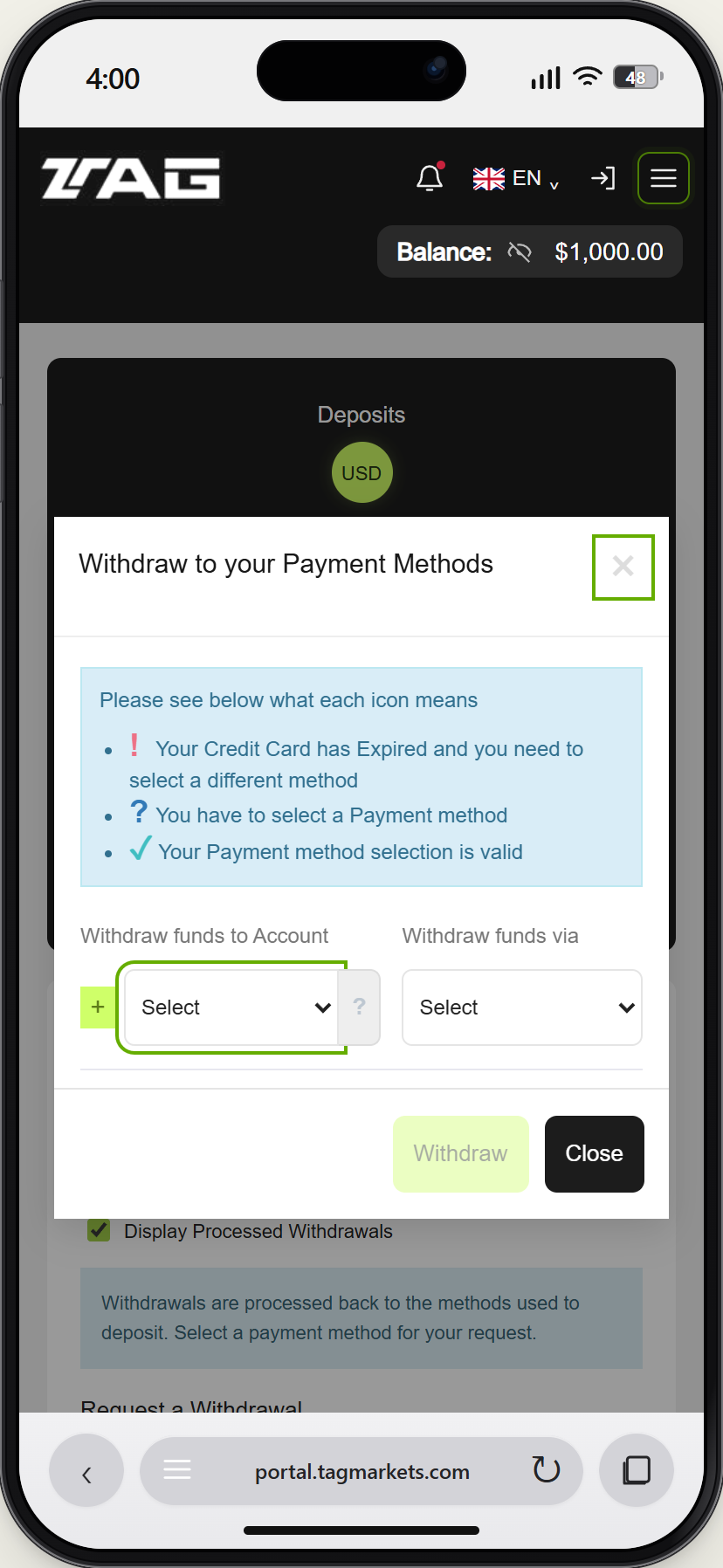
Select your saved crypto wallet. Check its address, asset and network against the receiving wallet. Do not use an example address from a guide.
Demo example · Enlarge screenshot Step 04
Review the payout method
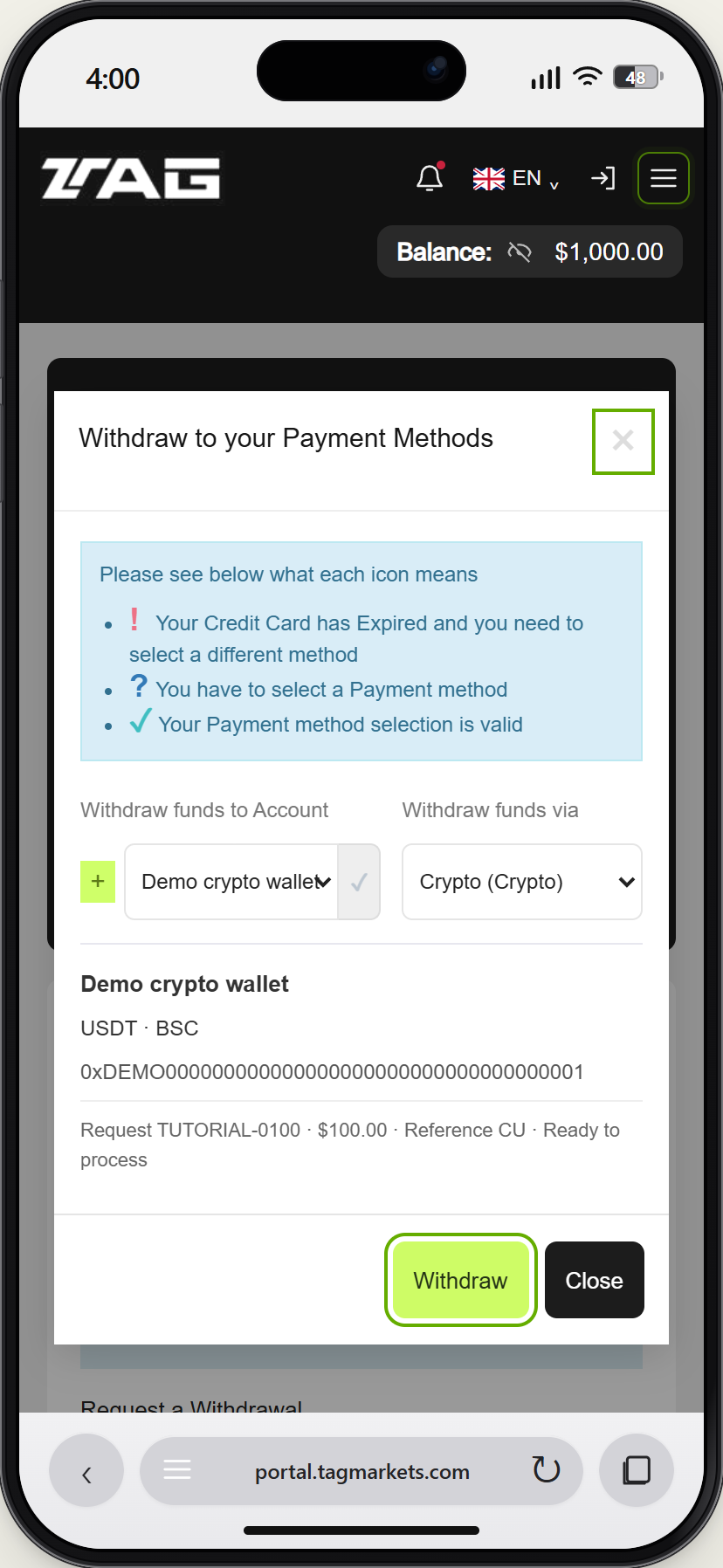
Choose the available crypto payout method, check the details and select Withdraw when ready. This screenshot shows the demo before confirmation; the demo cannot establish a real processing time or receipt.
Demo example · Enlarge screenshot
How do I withdraw from TAG Markets to my crypto wallet?
Open Tag Wallet, enter an available amount under Withdrawals and submit the request. Open WITHDRAW on that request, choose your saved crypto wallet and payout method, then review and confirm.