
Guide / Screenshot guide
MT5 balance, equity and TAG Wallet explained
They describe different things: MT5 shows trading-account figures, while TAG Wallet shows platform wallet funds. Do not treat an MT5 Balance, Equity or Free Margin figure as the amount available to withdraw from TAG Wallet.
Updated 4 November 2026 · Screenshots from our interactive demo, with fictional account data. Use the options and conditions shown in your own account.
Before you start: Connect the account you want to inspect in MT5. Use the same account when comparing figures.
Step 01
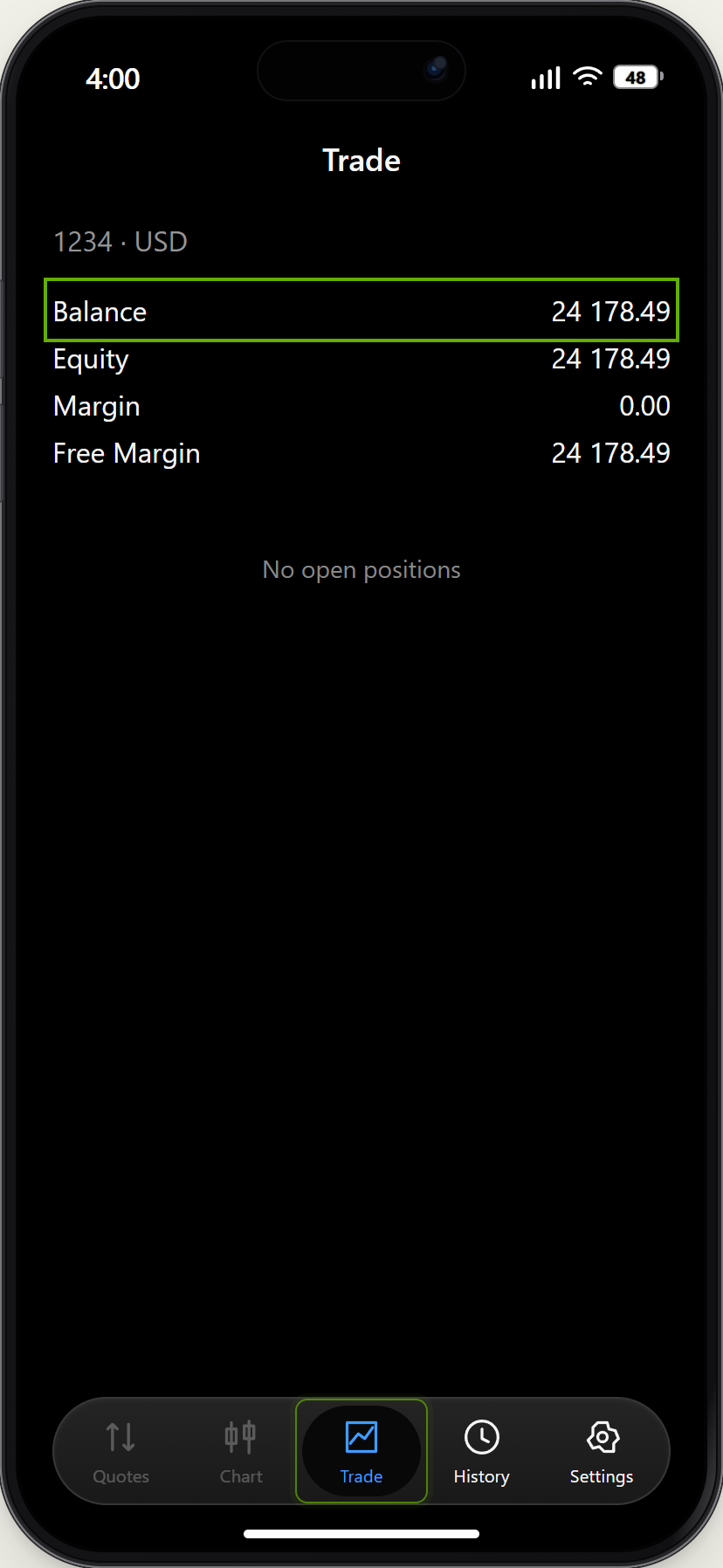
Read Balance and Equity
Open Trade in MT5. Balance reflects booked account transactions; Equity also includes the floating result of open trades. In this demo there are no open positions, so Equity equals Balance.
Demo example · Enlarge screenshot Step 02
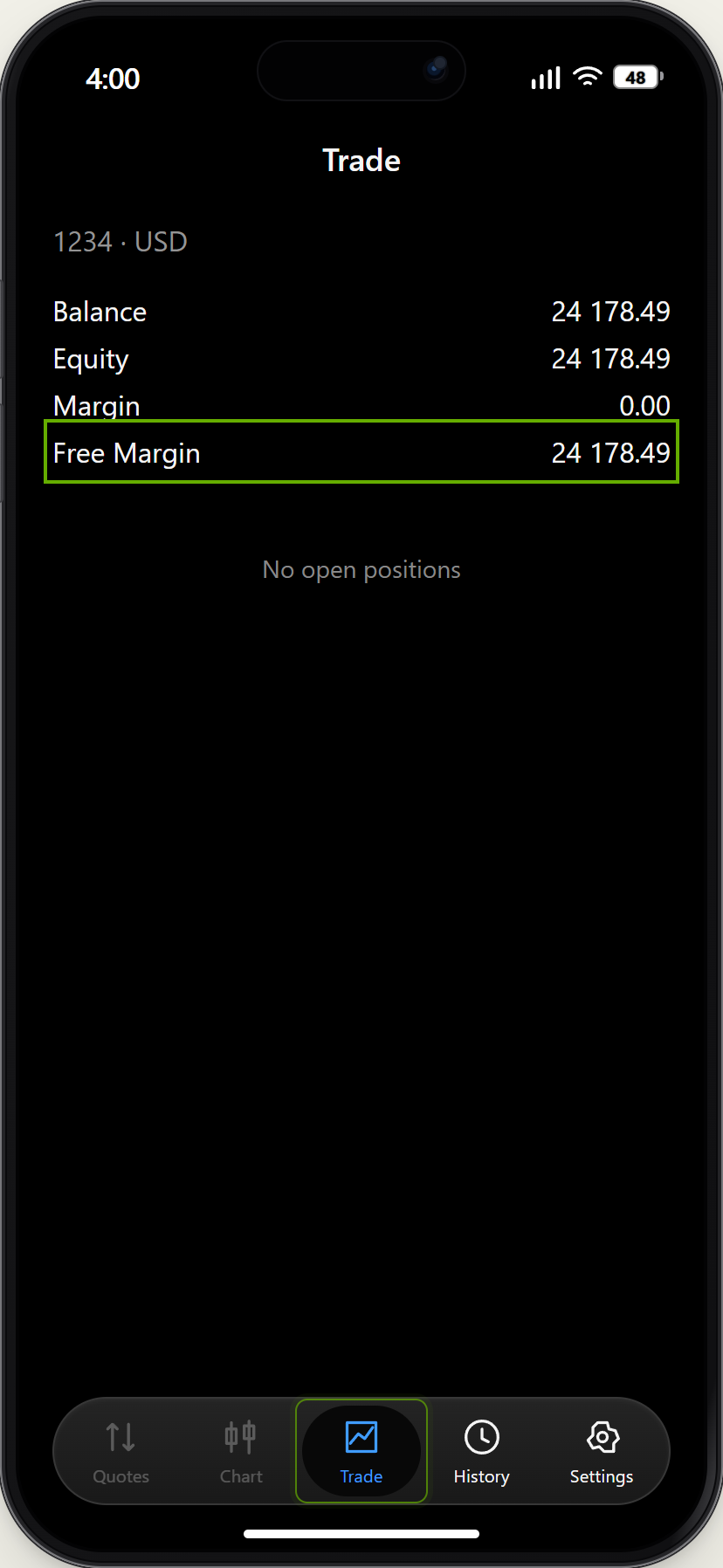
Do not confuse Free Margin with cash
Margin relates to open positions. Free Margin is remaining margin capacity, not a withdrawal quote. Check available withdrawals in your TAG account separately.
Demo example · Enlarge screenshot Step 03
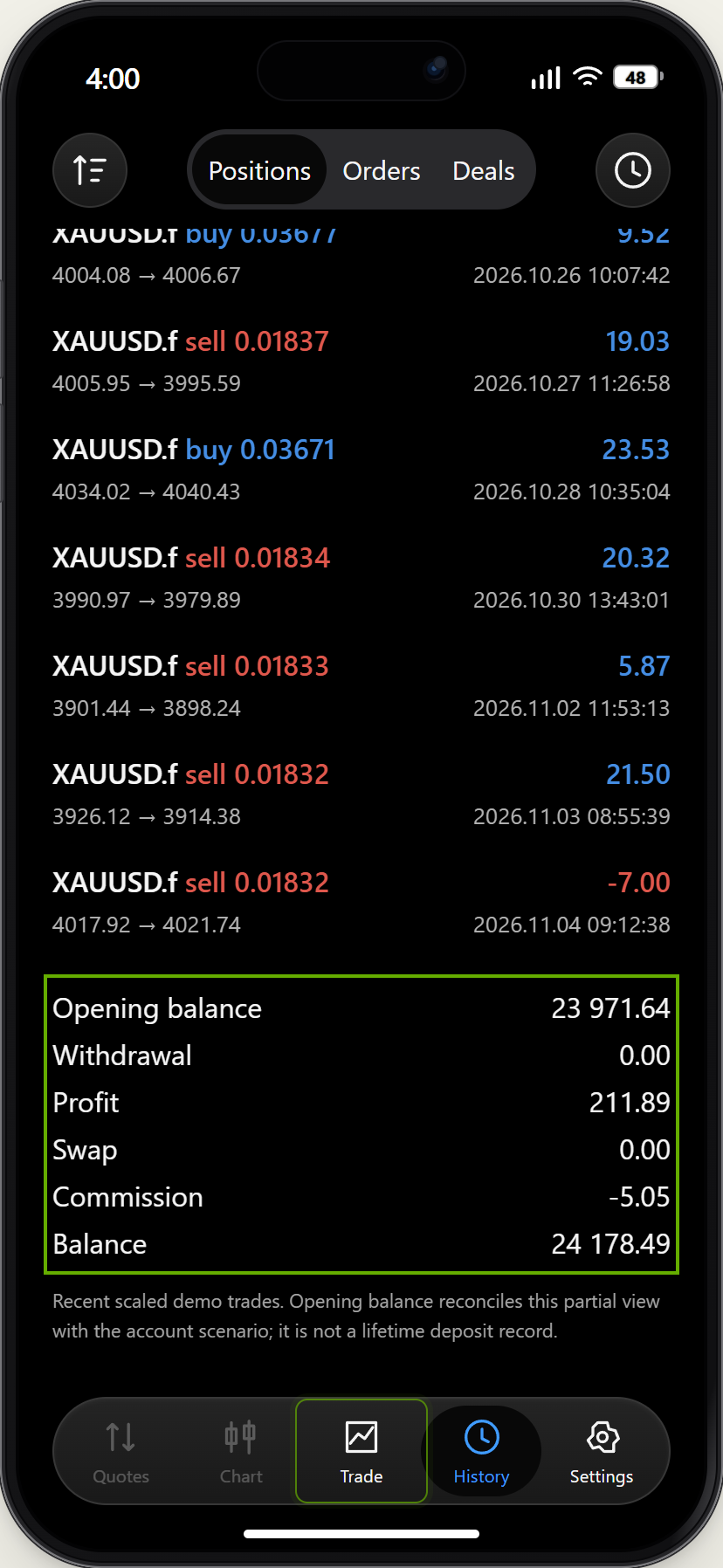
Read Profit and Commission together
Open History. The demo lists Profit and a separate negative Commission row. Include both when reading the net result; the displayed example is not a complete broker statement.
Demo example · Enlarge screenshot Step 04
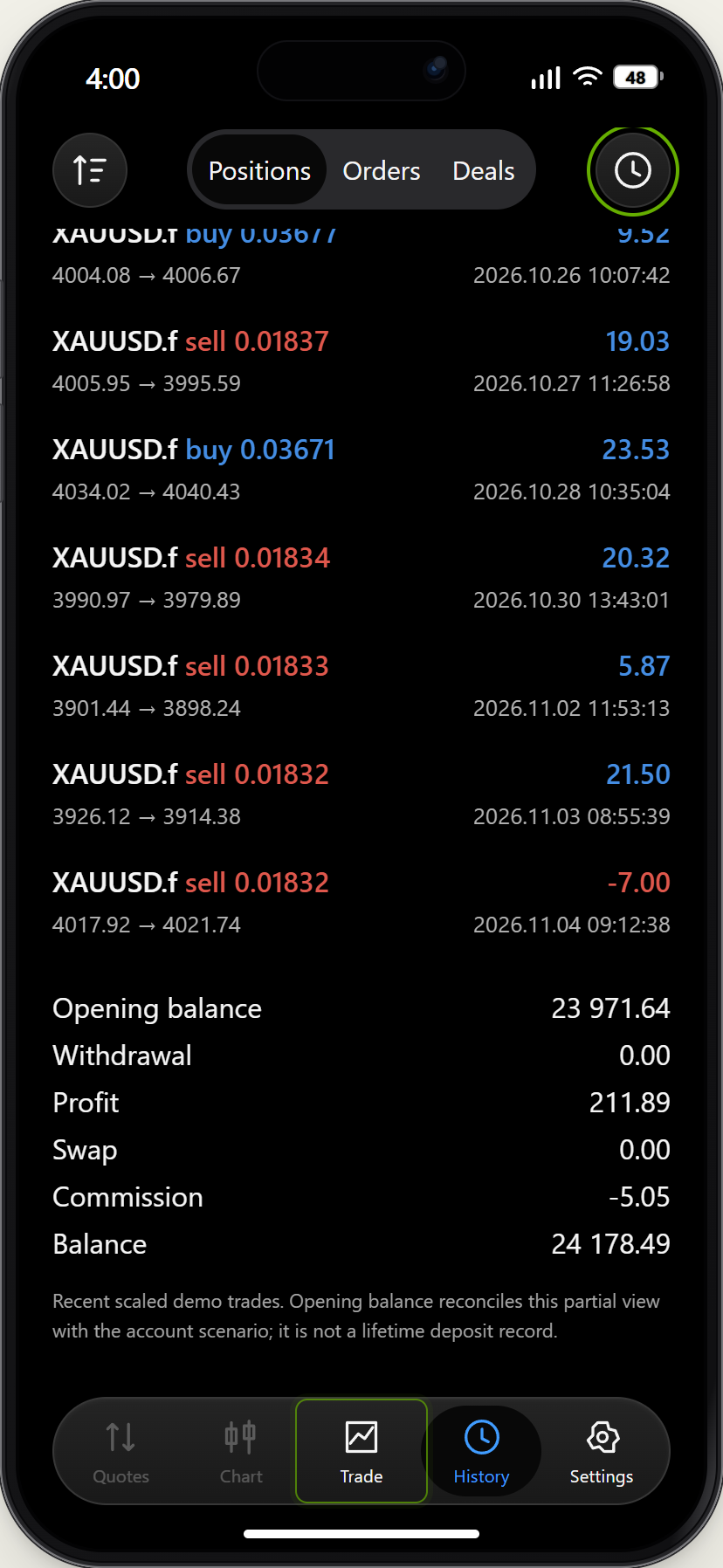
Check the history period
Use the clock to choose a history period. A filtered result only describes that period. Check both the selected account and date range before comparing numbers.
Demo example · Enlarge screenshot
Why is my MT5 balance different from my TAG Wallet balance?
They describe different things: MT5 shows trading-account figures, while TAG Wallet shows platform wallet funds. Do not treat an MT5 Balance, Equity or Free Margin figure as the amount available to withdraw from TAG Wallet.