
Guide / Screenshot guide
How to add and switch accounts in MT5
Find the next strategy account’s credentials in TAG Markets. In MT5, open Settings → New Account, select the broker and sign in with that account’s details. To switch saved accounts, open the account box in Settings and choose the required account.
Updated 4 November 2026 · Screenshots from our interactive demo, with fictional account data. Use the options and conditions shown in your own account.
Before you start: Have one MT5 account connected. To add another, obtain that account’s own number, investor password and server.
Step 01
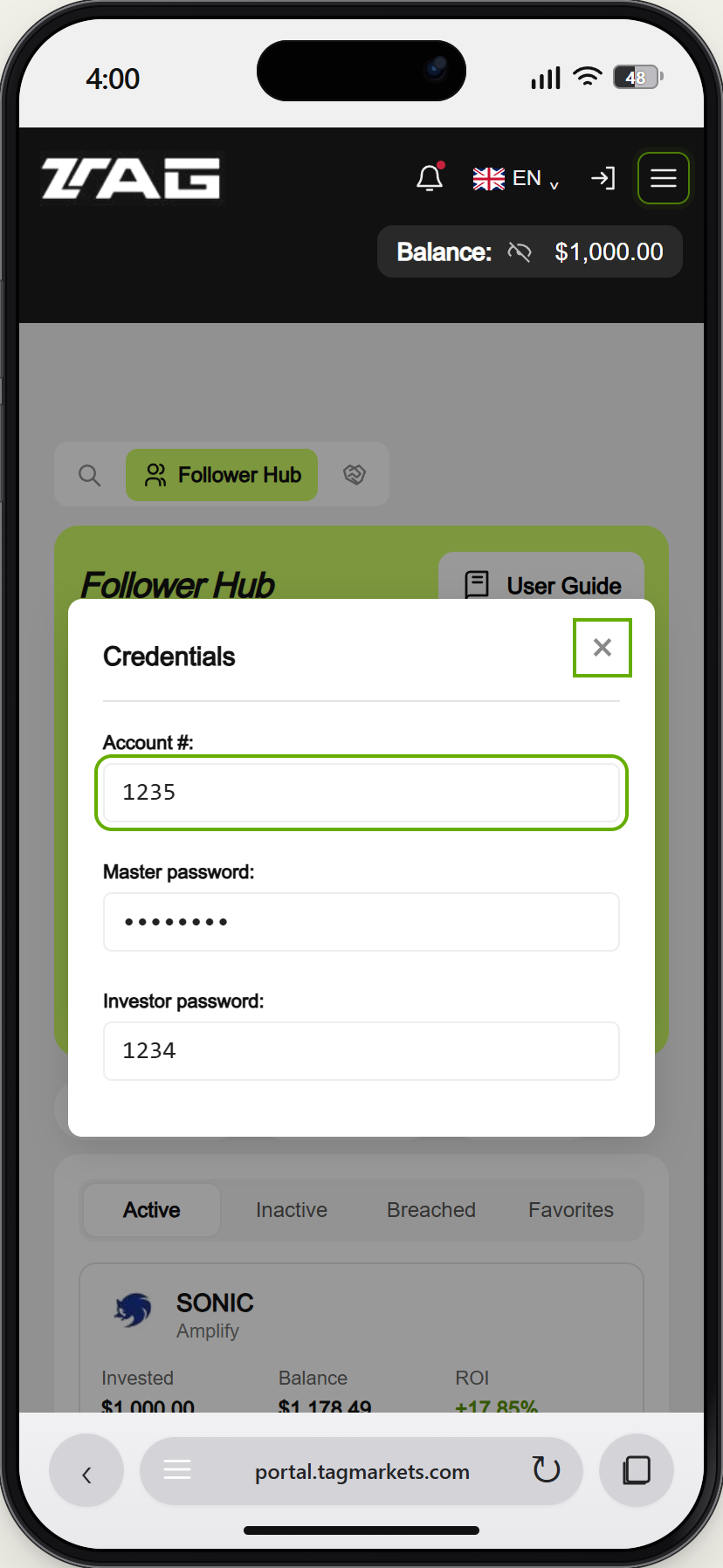
Get the next account credentials
In TAG Strategies, select the eye icon on the next strategy account. Use that account’s own number and Investor password, not the details for the first strategy.
Demo example · Enlarge screenshot Step 02
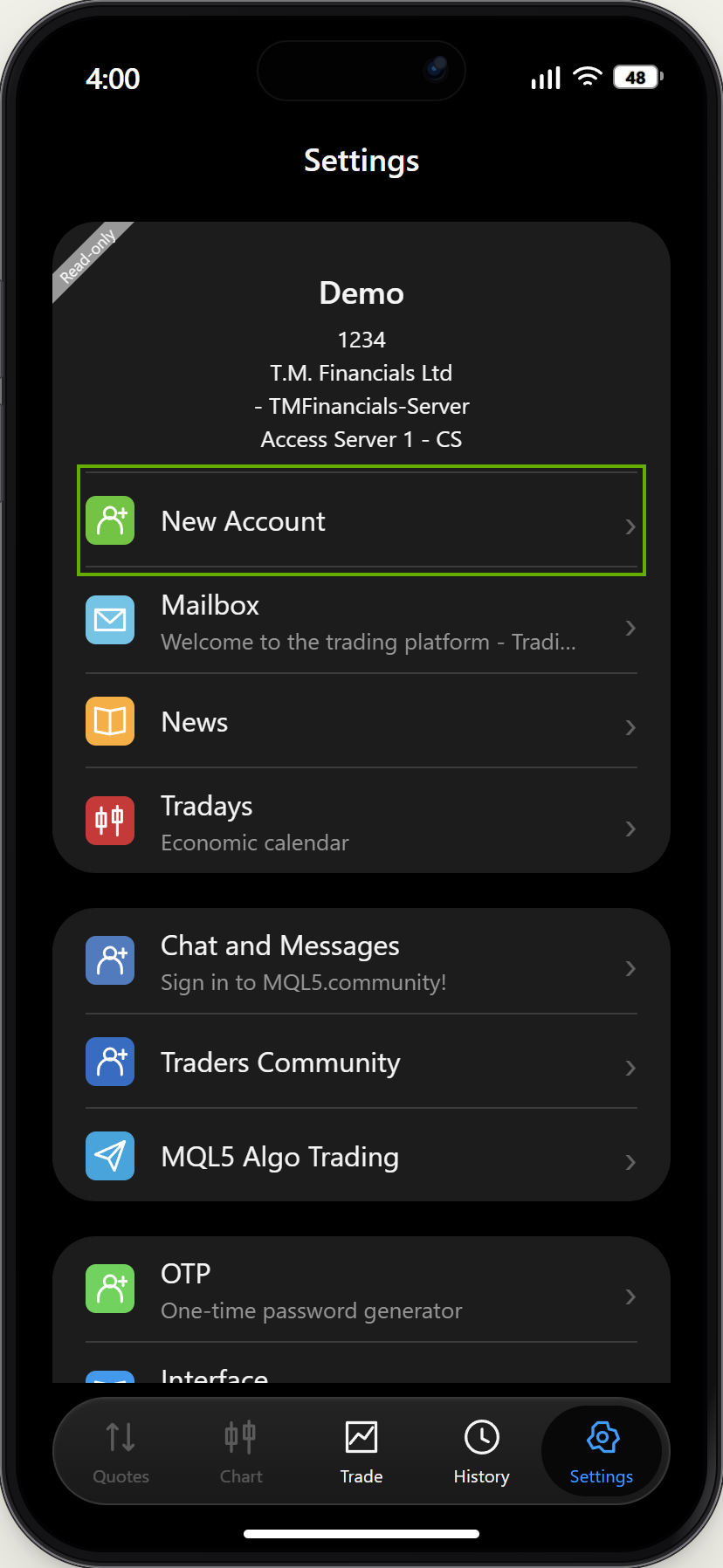
Add an account from Settings
In MT5, open Settings → New Account. Choose the broker, check the server and sign in with the next account’s own details.
Demo example · Enlarge screenshot Step 03
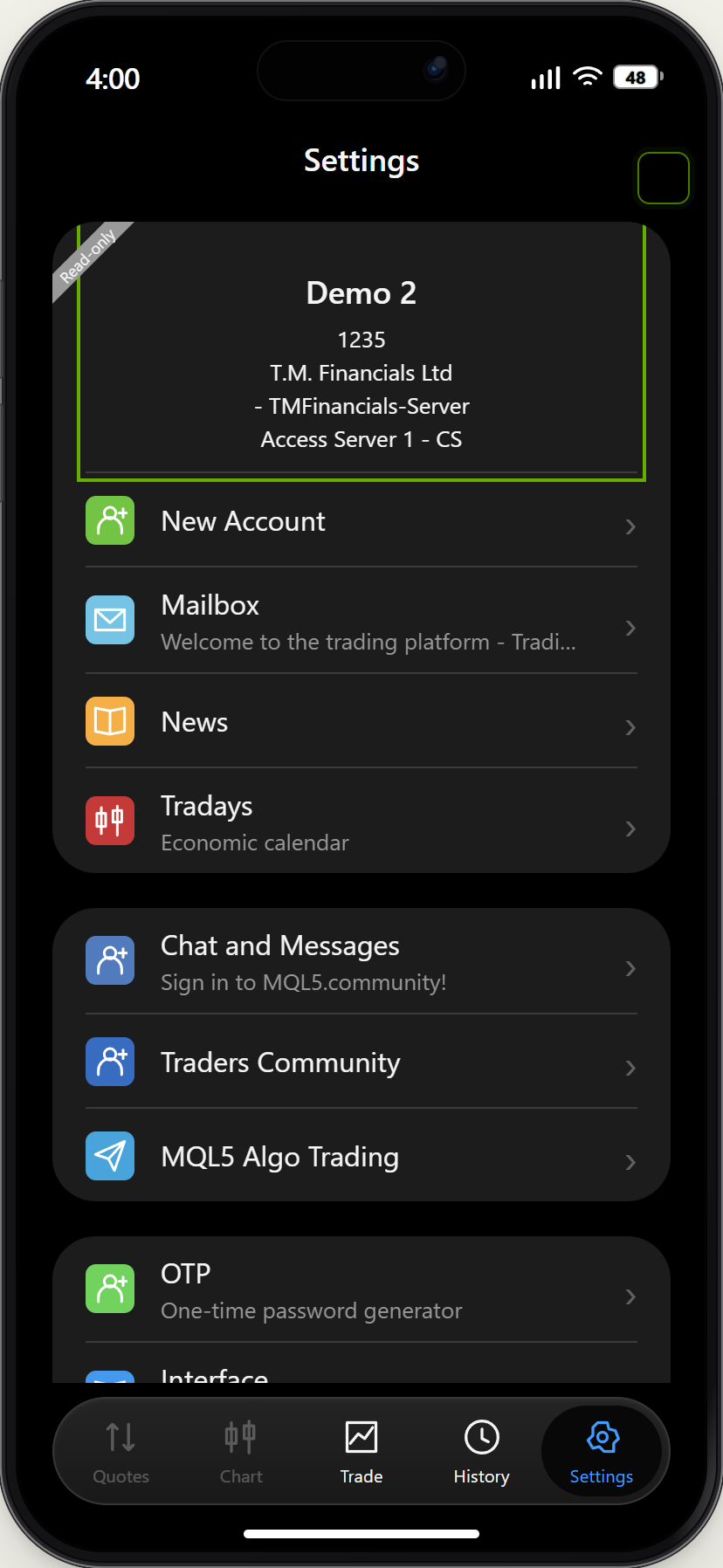
Check the newly selected account
After signing in, check the account name, number and server in Settings. The demo shows Demo 2; the first account remains saved.
Demo example · Enlarge screenshot Step 04
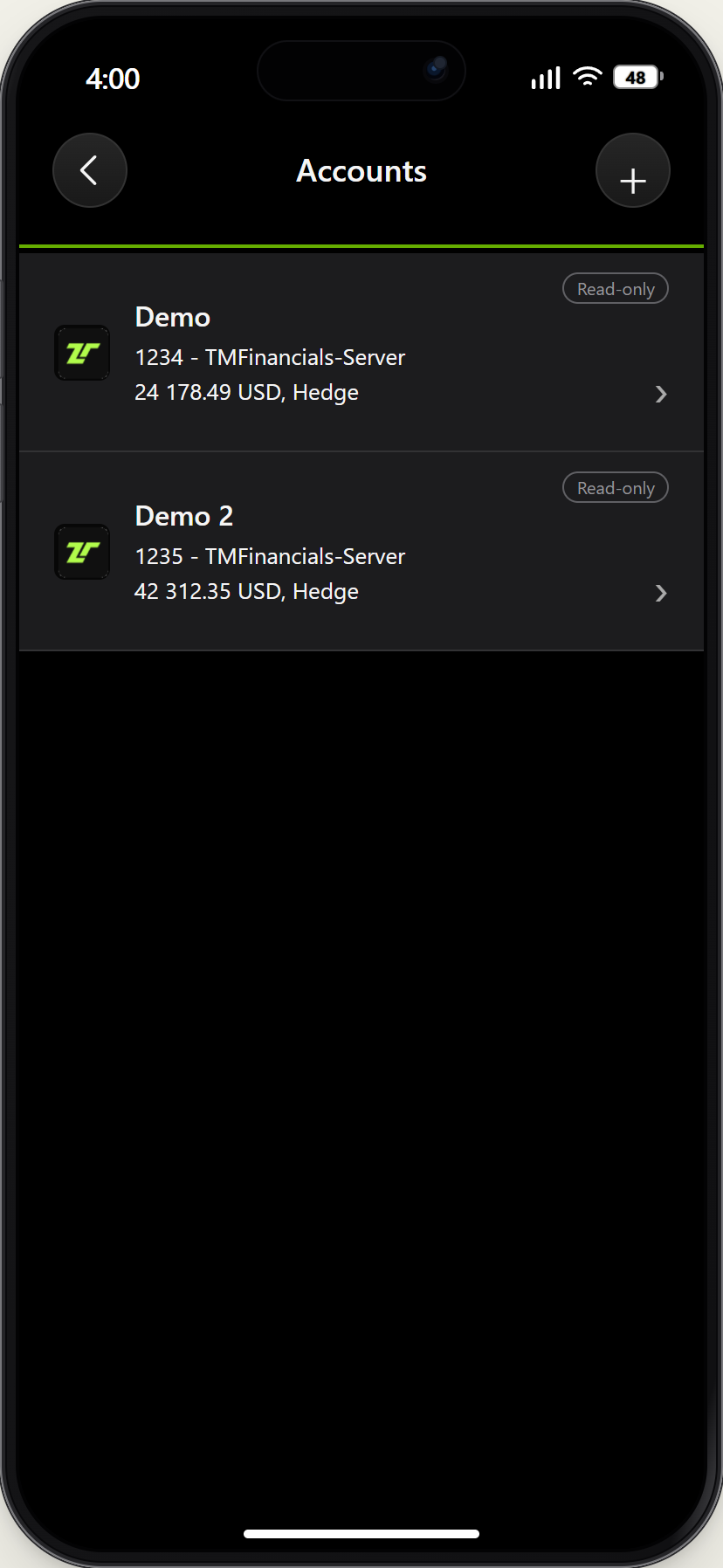
Switch between saved accounts
To switch, open Settings and press the large account box. Select the account you want from Accounts. Check the selected account before reading Trade or History.
Demo example · Enlarge screenshot
How do I add another account in MT5?
Find the next strategy account’s credentials in TAG Markets. In MT5, open Settings → New Account, select the broker and sign in with that account’s details. To switch saved accounts, open the account box in Settings and choose the required account.